




Blog

Used cars under $25,000 in Port Chester, NY: Buyer Guide

A listing price can look like a great fit until taxes, fees, insurance, and maintenance enter the picture. When searching for used cars under $25,000 in Port Chester, NY, set a total spending limit before you start comparing vehicles. Then look at the full cost of ownership, not only the amount on the windshield. A sedan, SUV, or truck may suit your needs, but its mileage, condition, service history, and expected upkeep all matter. Compare local listings with options in nearby Darien, including H & L Chevrolet's current inventory. A little preparation can help you ask better questions and avoid stretching your budget.

Key Takeaways

  • Search nearby communities as well as Port Chester: Check current used inventory at H & L Chevrolet in Darien and confirm a vehicle's price and availability before visiting.
  • Compare each vehicle's details and condition: Review mileage, features, service records, and vehicle history, then consider an independent inspection before buying.
  • Set a budget based on the total cost: Request an itemized out-the-door price and account for taxes, registration, insurance, financing, fuel, and maintenance.

Where Can You Find Used Cars Under $25,000 in Port Chester, NY?

Search Port Chester listings and nearby dealers, including H & L Chevrolet in Darien

Begin with listings in Port Chester, then expand your search to nearby towns. Looking across the state line in Darien, Connecticut, can give you more vehicles to compare. Include H & L Chevrolet in your search, and contact the dealership to ask what used vehicles are currently available. Don't assume a particular model or price is in stock until you confirm it.

Use filters for price, model year, mileage, body style, and distance. Save a few listings that fit your needs, then compare their condition, features, and history. A lower asking price may not be the best value if the car needs repairs or lacks features you consider essential.

Check current inventory, prices, and availability before you visit

Used-car listings can change quickly, so confirm the details before making the trip. Call or message the seller to check that the vehicle is still available and that the advertised price and listing details are current. Ask for the vehicle identification number (VIN) so you can review its history and verify you're looking at the right car.

Find out whether the price depends on financing, a trade-in, or other conditions. Request an itemized quote that separates required charges from optional products. If you're considering a vehicle at H & L Chevrolet, use the dealership's website to get in touch and ask about current options before you visit.

Set a total budget for taxes, fees, insurance, and ownership costs

A car listed for $25,000 may cost more once taxes and other charges are included. Set a total budget that accounts for sales tax, title and registration, dealer fees, insurance, fuel, and routine maintenance. It's also sensible to reserve funds for repairs, particularly when considering an older car or one with higher mileage.

If you buy from a Connecticut dealership and plan to register the vehicle in New York, ask the dealer how the out-of-state purchase and registration process works. Check the New York DMV's sales tax information to understand which requirements may apply. Before agreeing to buy, get the out-the-door price in writing and make sure it fits your budget.

Which Used Cars, Trucks, and SUVs Should You Compare?

When comparing used vehicles under $25,000 near Port Chester, start with what you need the vehicle to do. A compact SUV may be a good fit for commuting, errands, and weekend trips. A sedan may offer the passenger space you need with a smaller footprint, while a truck or larger SUV may suit drivers who need more cargo capacity, towing capability, or room for passengers.

The models below can help you build a shortlist, but they're starting points, not recommendations for a specific vehicle. Used inventory, prices, and vehicle condition vary. Check each listing carefully, and contact the seller to confirm the details before you visit. Darien's H & L Chevrolet is one nearby dealership to check with about available vehicles.

Compare Chevrolet Equinox and Trax SUVs with the Toyota RAV4 and Honda CR-V

If you're considering an SUV, compare the Chevrolet Equinox and Trax with the Toyota RAV4 and Honda CR-V. Think about how much passenger and cargo space you use regularly. A smaller SUV may be easier to park and maneuver, while a larger one may better accommodate passengers, luggage, or everyday gear. Compare seating comfort and visibility, too, especially if you'll drive the vehicle often.

The Equinox is a useful model to include in your research. It ranked among the most popular used vehicles in CarPro's review of used-vehicle sales. Popularity doesn't tell you whether an individual SUV is a good fit, though. Compare listings by year, mileage, trim, features, and condition, and check the vehicle history and service records before making a decision.

Consider the Chevrolet Malibu and Toyota Camry for commuting

For commuting, compare sedans such as the Chevrolet Malibu and Toyota Camry. Consider whether the seats feel comfortable on your usual routes and whether the trunk has enough room for groceries, work items, or luggage. If possible, test-drive each car on roads similar to the ones you use every day. Check fuel economy for the specific model year and powertrain, since those details can differ between vehicles.

The Camry is often recognized for its comfort and reliability, and iSeeCars' study of popular cars provides additional background on the model. Still, a model's reputation can't tell you how a particular used car was maintained or how it drives today. Compare vehicles with similar mileage and equipment, then review their condition, history, and asking price.

Compare older or higher-mileage trucks and SUVs, such as the Chevrolet Silverado and Ford Explorer

If you need a truck bed, towing capability, or extra passenger space, consider vehicles such as the Chevrolet Silverado and Ford Explorer. A Silverado may suit work or hauling needs, while an Explorer may be worth comparing if you want a larger SUV for passengers and cargo. Confirm the specifications of each vehicle, including its engine, drivetrain, towing capacity, and equipment. These can vary by model year and trim.

Older or higher-mileage vehicles may fit your budget, but take a close look at their maintenance and repair history. Ask about recent work, upcoming service needs, and the condition of items such as tires and brakes. Autoweek's overview of popular used vehicles discusses the Silverado and Explorer as popular choices. Use that information to guide your research, then evaluate the specific vehicle you're considering.

Use model names as search ideas, not proof of local inventory or pricing

Searching for phrases such as "used Equinox under $25,000" or "used Silverado near Port Chester" can help you find vehicles to research. But search results don't confirm that a listing is current, that the vehicle is nearby, or that its price fits your budget. Availability and asking prices can change, and two vehicles of the same model may differ considerably in age, mileage, features, and condition.

Before planning a visit, contact the seller to confirm the vehicle is available and ask about its advertised price, mileage, location, and included equipment. If you're considering a Chevrolet, you can contact H & L Chevrolet in Darien to ask about its current used inventory. Treat listings as an invitation to ask questions, not a substitute for confirming the details directly.

Compare model year, trim, mileage, drivetrain, features, and condition

Once you have a shortlist, compare vehicles with similar specifications. Model year and trim affect available features, while drivetrain can influence how a vehicle handles and what it's equipped to do. Check for the features that matter to you, such as driver-assistance technology, smartphone connectivity, heated seats, or additional cargo space. Don't assume every vehicle of the same model includes the same equipment.

Mileage is useful, but it's only one part of the picture. A well-maintained vehicle with higher mileage may be worth considering, while a lower-mileage car may still need attention. Review service records and inspect the interior, exterior, tires, and brakes. Kelley Blue Book's valuation tools can help you compare market estimates, but use the vehicle's history and condition to judge whether its price makes sense.

What Features Matter Most in a Used Car Under $25,000?

Prioritize safety features for your daily driving

Start with the safety features that make sense for your regular routes, whether you commute along Post Road, park in town, or spend time on the highway. A rearview camera can help when backing up, while blind-spot monitoring and lane-departure alerts can provide added assistance in traffic. Equipment varies by model year and trim, so check the specific vehicle rather than relying on a model's general feature list.

Ask about the vehicle's accident and repair history, and check its VIN for open recalls using the National Highway Traffic Safety Administration's recall lookup. Driver-assistance features can be useful, but they don't replace attentive driving. If a particular feature is important to you, test it during your visit and make sure it works as expected.

Compare fuel economy, mileage, drivetrain, and maintenance needs

The purchase price is only one part of what you'll spend on a used car. Compare fuel economy for the specific model years you're considering, especially if you drive often. Sedans and smaller SUVs may use less fuel than larger SUVs and trucks, but engine, drivetrain, and vehicle condition all affect efficiency. The EPA's fuel economy database lets you compare estimates by year, make, and model.

Mileage can offer clues about wear, but it shouldn't be your only measure. A higher-mileage vehicle with regular service may suit you better than a low-mileage car with an incomplete maintenance history. Ask about recent repairs and upcoming needs, including tires, brakes, and fluid changes. H & L Chevrolet's service department can assist with maintenance after your purchase.

Check Bluetooth, smartphone connectivity, and infotainment

If you use your phone for calls, music, or directions, check how it connects before making a decision. Some used vehicles have Bluetooth for hands-free calls and audio; others may include Apple CarPlay or Android Auto. Availability depends on the model year and trim, so confirm the equipment on the specific car you're considering.

Bring your phone to the dealership and test the connection. Make a call, play audio, and check that the touchscreen and steering-wheel controls respond properly. If the vehicle has built-in navigation or connected services, ask whether any features require a subscription. A quick test can help you spot issues before you buy and decide whether the system feels easy to use on your everyday drives.

Match passenger space, cargo room, and towing capacity to your needs

Consider who and what you'll regularly carry. If you often travel with family or friends, sit in the rear seats and check legroom, access, and child-seat fit. For errands or trips, see how much cargo space is available with the rear seats up and folded. If possible, bring a stroller, sports gear, or another item you frequently carry to see how it fits.

Planning to tow? Verify the capacity for the vehicle's exact year, engine, and drivetrain, and ask whether it has the required equipment. Towing limits can differ between versions of the same model, so check the owner's manual or manufacturer specifications instead of relying on a general estimate. Balance the vehicle's space and capabilities with its condition, service history, and price before choosing.

How Can You Tell if a Used-Car Listing Is a Good Deal?

Compare similar vehicles by year, trim, mileage, features, and condition

Compare several vehicles with similar model years, trim levels, mileage, and equipment. A lower asking price may reflect more miles, fewer features, cosmetic wear, or needed repairs, so look beyond the headline price. Check the drivetrain and major options, too: two SUVs of the same model may have different equipment and value.

Use the Consumer Reports Car Value Estimator to learn how a vehicle's details can affect its value, then compare that estimate with listings around Port Chester and nearby towns. Focus on vehicles in similar condition, and note what each price includes. This gives you a clearer basis for judging whether a listing is competitively priced.

Review the vehicle history report, title, ownership history, and service records

Ask the seller for the vehicle identification number (VIN) and review a history report before you decide. Look for title status, reported accidents, previous owners, and gaps in the vehicle's history. Reports can provide helpful context, but they may not show every incident or repair. Treat them as one part of your research, not a complete record of the car's condition.

Request available service records and compare them with the listing and the seller's answers. Records of routine maintenance and repairs can help you understand how the vehicle was cared for. If details are missing or unclear, ask for an explanation. The CARFAX value tool describes how factors such as title status and ownership history can affect a vehicle's estimated value.

Check for pricing conditions, required charges, and exclusions

An advertised price may depend on specific conditions or exclude charges you'll pay at purchase. Before visiting, request an itemized out-the-door price that lists the vehicle price, dealer fees, taxes, title, and registration. Ask whether a discount requires dealer financing, a trade-in, or another qualification.

Read the listing closely and confirm which fees are required and which products or services are optional. Compare total costs rather than monthly payments, since a longer loan term or larger down payment can change the monthly amount without changing the vehicle price. Looking at dealership listings, such as this page for used vehicles under $25,000, can help you spot details to clarify with a seller.

Confirm availability with the seller and ask about known issues

Used-car inventory can change quickly, so call or message the seller before traveling from Port Chester. Confirm that the vehicle is available, the asking price is current, and the mileage and equipment match the listing. If you're considering a car at H & L Chevrolet in Darien, contact the dealership to verify its details and ask about arranging a visit or test drive.

Use the conversation to ask about warning lights, recent repairs, and any known issues. Ask whether service records are available and whether you can arrange an independent inspection. Clear answers can help you decide if a vehicle is worth seeing in person and give you useful questions to follow up on during the test drive.

How Can You Check a Used Car's Condition and Value?

A careful check can help you spot concerns before you buy and judge whether a car's asking price makes sense. Start by looking closely at the vehicle, then take a test drive and ask the seller about its history. If you find anything you can't assess yourself, have a qualified mechanic inspect it before you commit.

Keep notes as you go. Record visible wear, sounds you notice, service records you receive, and questions the seller hasn't answered. Then compare the car with similar vehicles in the Port Chester area, taking its mileage, features, condition, and maintenance history into account. An online estimate is a useful reference, but it won't account for every detail of a specific car.

Use these steps to build a clearer picture of the vehicle's condition and value. If you're comparing Chevrolet models, H & L Chevrolet in Darien offers vehicle service from certified technicians, which can be useful when you have questions about maintenance and repairs.

Inspect the body, interior, tires, and brakes for damage or repairs

Walk around the car in good light. Look for dents, rust, uneven gaps between body panels, or paint that differs from one panel to another, which can indicate previous repairs. Inside, check the seats, carpeting, dashboard, windows, and controls for wear or signs of water damage. Inspect all four tires for cracks, mismatched brands, or uneven tread wear, which may point to alignment or suspension issues. Ask the seller about any damage you notice and whether repairs were made. A visual check can help you identify concerns, but it can't replace a mechanic's inspection, especially for brakes and other components you can't easily see.

Test-drive on familiar roads and listen for unusual sounds

If possible, take the car on familiar local streets and a faster road. Notice how it accelerates, brakes, steers, and handles bumps. Check whether it pulls to one side, vibrates, or hesitates when you accelerate. Listen for rattling, grinding, squealing, or knocking sounds, and note when they occur. Before driving, adjust the seat and mirrors, and make sure you have a clear view in every direction. While parked, test the air conditioning, heat, lights, windows, and infotainment system. If something feels or sounds unusual, write it down and ask the seller or a mechanic to check it before you make a decision.

Ask about maintenance, warning lights, accidents, and repairs

Request service records and ask about routine maintenance, recent repairs, and work the vehicle may need soon. Find out whether it has been in an accident, whether warning lights have appeared, and how any issues were addressed. Check that the vehicle identification number, or VIN, matches the number on the car and the title. A CARFAX vehicle history report may show reported accidents, ownership history, and other details, but it may not include every event or repair. Compare the report with the seller's answers and service documents, and ask about any gaps or discrepancies.

Consider an independent pre-purchase inspection

A test drive and vehicle history report can reveal useful information, but they don't replace an in-person inspection by a qualified mechanic. Arrange an independent pre-purchase inspection before you commit, particularly if the car has high mileage, visible repairs, or an incomplete service history. Ask the mechanic to check the engine, transmission, brakes, suspension, tires, electrical systems, and signs of leaks or previous damage. Request a written report that distinguishes urgent repairs from routine maintenance. You can use the findings to decide whether to proceed or discuss repairs with the seller. The Federal Trade Commission's used-car guidance recommends an independent inspection, even when a vehicle comes with a warranty.

Compare the price with market estimates, condition, and service history

Compare the asking price with similar cars by model year, trim, mileage, features, drivetrain, and condition. Check whether the advertised price has conditions or added charges, and ask the seller to confirm the current price. An online estimate can provide a helpful starting point: Kelley Blue Book's used-car valuation tool considers vehicle details and local market factors. Treat the estimate as a guide, not a guaranteed selling price. A car with complete service records and newer tires may be worth more than a similar vehicle that needs repairs. When shopping near Port Chester, compare local listings with nearby dealerships, including H & L Chevrolet in Darien, and confirm availability before you visit.

What Fees and Ownership Costs Should You Budget For?

A used car's asking price is only one part of what you'll pay. If you're shopping in Port Chester, NY, and considering a vehicle from a Connecticut dealer such as H & L Chevrolet in Darien, budget for taxes, paperwork, insurance, fuel, and maintenance. Ask for a clear breakdown before you decide, so you can compare the full cost with your budget.

Request an itemized out-the-door price before you agree to buy

Ask the seller for an itemized out-the-door price before you commit. It should separate the vehicle price from taxes, title and registration costs, the dealer's documentation fee, and any optional products. This written breakdown gives you a more useful way to compare listings than the advertised price alone.

Ask whether the advertised price depends on a specific condition, such as dealer financing or a qualifying trade-in. If the quote includes add-ons, find out whether they're optional and request a version without them. Confirm that the vehicle is still available and that the quote reflects the exact vehicle you're considering. Reviewing the terms in writing can help you catch charges or conditions before signing.

Budget for New York sales tax, title, registration, and dealer fees

Plan for costs beyond the vehicle price, including New York sales tax, title and registration charges, and dealer fees. The amounts can depend on the vehicle and your registration details, so ask the seller to explain each charge and clarify which costs are included in the quote.

New York's vehicle fee and tax information can help you understand the types of charges involved. Check whether the dealer's estimate includes required fees and whether optional products appear separately. Keeping the vehicle price and other charges distinct makes it easier to see whether the total fits your budget.

Ask how to register a vehicle bought from a Connecticut dealer

If you live in Port Chester and buy from a Connecticut dealership, confirm how the New York title and registration paperwork will be handled. Ask which documents the dealer will prepare, what information you'll need to provide, and whether you must visit a New York DMV office yourself. Also ask how taxes are collected and whether temporary plates or permits are available.

The New York DMV's registration instructions outline the general process and required documents. Requirements can vary by purchase and registration details, so confirm the steps directly with the dealer and the DMV before you travel or finalize the sale.

Estimate insurance, fuel, routine service, and near-term repairs

Get an insurance quote for the specific vehicle before buying. Premiums can vary by model, coverage, driving history, and location. The New York Department of Financial Services provides information about auto insurance for state residents.

Estimate fuel expenses based on how much you drive and the vehicle's fuel economy. Also budget for routine service, including oil changes, tires, and brake work, and ask about repairs or maintenance the vehicle may need soon. Review its service history and ask the seller about known issues. Chevrolet owners can contact H & L Chevrolet's service department to ask about maintenance and repair services.

How Can You Find the Right Financing for a Used Car?

Financing can affect the total cost of a used car, not just what you pay each month. Compare offers, check the full loan terms, and account for taxes and fees before you commit. If you're shopping near Port Chester, you can also ask H & L Chevrolet in Darien what financing options may be available for the vehicle you're considering.

Compare dealer financing with offers from banks, credit unions, and online lenders

Request a financing offer from the dealership, then compare it with quotes from a bank, credit union, or online lender. Ask each lender for the same details: the amount financed, annual percentage rate (APR), loan term, and fees. Comparing matching figures makes it easier to see which offer works best for your budget.

Ask whether the dealership works with multiple lenders and whether applying will involve a credit check. A dealership offer may be convenient, but it's still worth comparing it with other options. The Consumer Financial Protection Bureau's auto loan guide explains common loan terms and suggests questions to ask before signing.

Check your credit and consider preapproval before you shop

Review your credit before applying for a loan. Your credit history can affect the rates and terms lenders offer, so checking it early helps you understand what to expect and gives you time to dispute any errors. You can request your free credit reports through AnnualCreditReport.com, the authorized source for free reports.

You may also want to seek preapproval from a bank or credit union before visiting a dealership. It can help you estimate your budget and gives you another offer to compare. Keep in mind that preapproval is not a final loan agreement. The lender may still need to review the specific vehicle, confirm your application details, and approve the final terms.

Compare APR, loan term, down payment, and total interest, not just the monthly payment

A smaller monthly payment may come with a longer loan term, which can increase the total interest you pay. Compare the APR, loan length, down payment, fees, and total repayment amount for each offer. Ask for the terms in writing, and check whether optional products have been added to the amount financed.

Choose a payment that fits your monthly budget, but consider how long you'll be making payments and how much the loan will cost overall. A longer term can mean paying more for the car over time. The Federal Trade Commission's car financing guidance explains how loan length and other financing terms affect the total cost.

Ask how vehicle age or mileage could affect your loan options

Some lenders have limits on a used car's age, mileage, or value. Those requirements may affect whether the vehicle qualifies for financing, the available loan term, or the interest rate. Ask about these rules before settling on a car, particularly if you're considering an older model or one with higher mileage.

When requesting estimates, provide the vehicle's year, mileage, and price. If you're comparing several cars, check whether each one meets the lender's requirements. An initial estimate may change after the lender reviews the vehicle and your application, so confirm the final terms before signing. This step can help prevent surprises after you've chosen a car.

Include taxes, fees, trade-in value, and optional products in your loan amount

Ask for an itemized out-the-door price that separates the vehicle price, taxes, title and registration charges, dealer fees, and optional products. If you're buying from a Connecticut dealership and registering the car in New York, ask the dealer how the process works and verify registration requirements with the New York State DMV.

If you have a trade-in, confirm how its value affects the amount you'll finance. If you still owe money on it, ask how the remaining balance will be handled. Review optional products individually: find out what each covers, what it costs, and whether it will be added to the loan. For a fair comparison, use the same out-the-door price and loan amount when reviewing financing offers.

Is Certified Pre-Owned Coverage Worth Considering?

A Certified Pre-Owned (CPO) Chevrolet can be worth considering if you want a used vehicle with manufacturer-backed inspection and warranty coverage. But certification applies only to vehicles that meet Chevrolet's program requirements, and coverage details can vary. Before you decide, confirm the vehicle's status, review its written terms, and compare the price with similar non-certified options.

Ask if a specific Chevrolet meets Chevrolet Certified Pre-Owned requirements

Ask whether the specific Chevrolet you're considering is part of the Chevrolet Certified Pre-Owned program. A vehicle's age, mileage, or appearance alone does not confirm that it qualifies. Request written confirmation of its certification status and the documents that explain the program benefits.

Check the vehicle's model year, mileage, title history, and eligibility details, too. If CPO coverage matters to you, compare certified and non-certified vehicles with similar trims, mileage, and condition. A non-certified option may cost less, while a certified one may offer added inspection and warranty coverage. Comparing both can show whether the price difference fits your priorities and budget.

Review inspection standards, warranty length, exclusions, deductibles, and roadside assistance

Ask what the inspection includes and whether you can review the completed inspection checklist. Find out when the warranty begins, how long it lasts, and whether it has a mileage limit. Ask which repairs are covered, what exclusions or deductibles apply, and whether roadside assistance is part of the package. These details help you understand the practical value of the coverage.

Review the warranty documents before you buy, and ask the seller to clarify any terms you find confusing. Chevrolet's CPO program information provides an overview, but the documents for the specific vehicle should spell out what applies to your purchase. Keep copies of the warranty and inspection records with your other vehicle paperwork.

Compare certification costs and coverage with other warranty options

Compare the CPO vehicle's price with similar non-certified models by year, trim, mileage, condition, and service history. Then weigh the added cost against the inspection and warranty benefits. Consider the total price, not only the monthly payment, and check whether the coverage addresses repairs you're most concerned about.

If you're considering an extended service contract, compare its price, covered repairs, exclusions, deductible, and claims process with the CPO warranty. Ask whether the policies overlap and whether you can choose one without the other. The Federal Trade Commission's used-car buying guide offers practical advice on checking vehicle history and understanding warranty terms. Base your decision on the written details for each option.

Ask H & L Chevrolet about current used inventory and service from certified technicians

Used inventory and CPO availability can change, so contact H & L Chevrolet to ask which vehicles are currently available and whether a specific Chevrolet is certified. Located in Darien, the dealership is a nearby option for Port Chester shoppers comparing used vehicles. Before visiting, ask about the vehicle's price, mileage, history report, inspection results, and warranty documents. You can learn more about the dealership through its H & L Chevrolet overview.

Ask about service support after purchase, too. H & L Chevrolet's service department can provide details about maintenance and repairs performed by certified technicians. Confirm which services are available, whether you need an appointment, and how warranty repairs are handled. Clear answers about the vehicle and ongoing service can help you compare more than the sticker price.

Frequently Asked Questions

Can I shop for a used car under $25,000 in Darien if I live in Port Chester? Yes. You can compare vehicles at nearby dealerships, including H & L Chevrolet in Darien. Contact the dealership to confirm current inventory, pricing, and whether a vehicle is available before making the trip. If you buy in Connecticut, ask how the New York registration process and related paperwork will work.

How can I tell what a used car will really cost? Ask for an itemized out-the-door quote that includes the vehicle price, taxes, title and registration charges, dealer fees, and any optional products. Also estimate insurance, fuel, and upcoming maintenance so you can judge the overall cost, not just the advertised price.

Should I choose a car with lower mileage over one with a better service history? Not automatically. Mileage is only one factor. Review maintenance records, vehicle history, condition, and any repairs the car may need. A qualified mechanic's pre-purchase inspection can help you compare two vehicles more confidently.

What should I check before test-driving a used car? Confirm the vehicle's availability, price, mileage, and equipment with the seller. Bring your license and insurance information, then check the car's controls, tires, interior, and exterior. During the drive, pay attention to braking, steering, acceleration, and unusual sounds.

Is a Certified Pre-Owned Chevrolet worth considering? It may be a good fit if you value manufacturer-backed inspection and warranty coverage. Ask for the specific vehicle's certification documents, inspection results, and written warranty terms. Compare its price and coverage with similar non-certified vehicles before deciding.
Recommended Posts

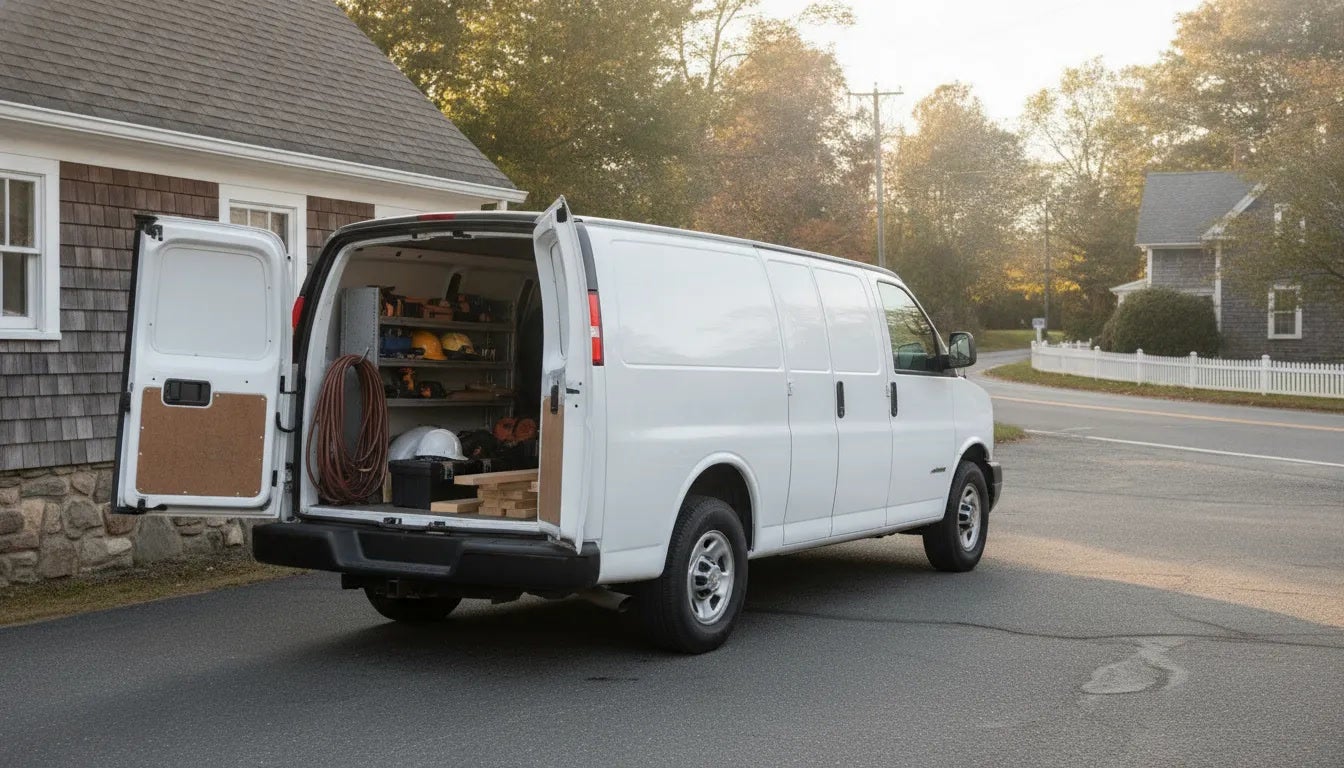
White Chevrolet cargo van ready for a Connecticut business

Work Vans for Sale in Norwalk, CT: Buyer's Guide

If you are searching for work vans for sale in Norwalk, CT, the right choice starts with how your business actually works. A contractor who carries tools and materials has different needs from a caterer, delivery operator, or company that transports a crew. This guide can help you narrow the field, prepare for a productive dealership conversation, and compare commercial van options near Norwalk without starting with a one-size-fits-all answer. Call (203) 655-2551 to discuss a work van for your business Start with the job, not just the vehicle A work van is part of a business system. It may carry inventory between job sites, keep tools organized, transport employees, or serve as a mobile workspace. Before comparing models, write down what a typical workday looks like. Note the number of people who ride along, the largest items you carry, how often you load and unload, and the routes you travel around Norwalk, Darien, Stamford, and nearby communities. That short exercise helps turn a broad search into useful requirements. It can also prevent a common mistake: choosing a van based on its exterior size or a single feature before thinking about cargo access, seating, equipment, and the cost of keeping the vehicle productive. What type of work van fits your business? Different businesses can use the word "work van" to describe very different vehicles. Chevrolet commercial vans and related commercial vehicles are designed for a range of business uses, but the best fit depends on your people, equipment, and operating routine. Consider these starting points: Cargo vans for tools, parts, and deliveries A cargo van is a natural starting point when the priority is enclosed space. Electricians, plumbers, HVAC companies, property managers, florists, retailers, and delivery businesses may value a protected cargo area that keeps equipment out of the weather and makes it easier to organize a route. When you compare cargo vans, look beyond total space. Think about the height and width of the rear and side openings, whether shelving or bins will be installed, where heavier items will ride, and how often a worker will need to enter the cargo area. A van that is easy to load can save time on every stop. Ask about available equipment packages and upfit options so the vehicle can support the way your team works rather than becoming an empty box that needs to be reorganized later. Passenger vans for crews and group transportation A passenger van may be a better fit when your business regularly moves people instead of, or in addition to, equipment. Construction crews, hospitality businesses, nonprofit organizations, hotels, and event operators should think about seating, luggage or gear, entry and exit, and the comfort of passengers during a full day of travel. Do not assume that a passenger configuration will handle every combination of people and equipment. Make a list of the usual passenger count and the items that travel with them. Then ask how the available seating arrangement affects usable cargo room. This simple check can help you avoid selecting a configuration that works for an occasional trip but not for the daily route. Cutaway and specialty configurations Some businesses need a van platform that can be configured for a specific purpose, such as a service body, shuttle, accessible transportation, or another commercial application. Cutaway and chassis-based options may be worth discussing when a standard cargo or passenger body does not match the equipment your business uses. These projects usually involve more planning than choosing a standard van. Bring details about the intended body or upfit, the equipment weight, the number of occupants, and any access requirements. A commercial vehicle specialist can help identify which questions should be answered before you request a quote or place an order. Questions to ask when comparing work vans Once you know the job the van must do, use the same checklist for every option. Consistent questions make it easier to compare vehicles without being distracted by a single headline specification. How will the van be loaded? Consider rear doors, side access, floor height, and whether one person can retrieve common tools without unloading the vehicle. What does the van carry every day? Separate routine cargo from an occasional oversized item. The everyday setup usually matters most to productivity. How many people need to ride? Include the driver, regular crew members, and any customers or passengers who may travel with the business. Will the van be upfitted? Shelving, partitions, racks, refrigeration, accessibility equipment, and other additions can affect the vehicle choice and the final budget. What routes will it travel? A business that stays in town may weigh maneuverability and access differently from one that covers regional highways every day. What does downtime cost? Ask about service planning, maintenance access, and how the vehicle can be kept ready for work. New, used, or a custom commercial vehicle? There is no universal answer to whether a business should buy new or used. A new vehicle may offer the configuration, equipment, and warranty coverage that best match a planned business operation. A pre-owned van may be worth considering when the business needs a different budget or when a particular configuration is available in the used market. The important step is to compare the complete business case, not only the purchase amount. For a used van, review the vehicle history, maintenance records, tire and brake condition, cargo-area wear, and any previous commercial use. Inspect doors, latches, shelving, flooring, and electrical accessories. Ask which equipment will remain with the vehicle and which items are not included. For a new van, ask about build timing, available configurations, upfit coordination, and what information is needed to produce an accurate quote. H & L Chevrolet's commercial vehicle page explains that the dealership stocks commercial trucks and vans at its Darien location and can help find a commercial vehicle when the exact need is not on hand. Because inventory and configurations change, contact the dealership for current availability rather than treating a model page or general listing as proof that a specific van is in stock. Build a useful commercial van budget A work van affects more than the initial vehicle transaction. Build a practical budget that includes the vehicle, registration and taxes, insurance, planned upfit work, shelving or storage, graphics, fuel or charging, tires, routine maintenance, and the cost of keeping the van available for work. If several employees drive it, include the operating policies and training your business uses. Financing and cash flow deserve the same attention. Compare the payment structure with the number of billable jobs or delivery routes the van is expected to support. If your business is replacing an existing vehicle, estimate how much usable equipment can transfer and what condition the current vehicle is in. H & L Chevrolet's finance page and trade-in form are useful starting points for organizing those parts of the conversation. Do not assume a tax treatment, rebate, APR, or business deduction applies to your situation without checking with your tax or financial adviser. Incentives, lender terms, eligibility, and program rules can change. A dealership quote can help you understand the vehicle side of the decision, while your adviser can address the business and tax questions. Why local businesses shop near Norwalk A commercial vehicle is easier to evaluate when the dealership conversation is grounded in the route and work it will actually perform. Norwalk businesses may need a van for local service calls, deliveries along the coast, commuting between job sites, or regional travel through Fairfield County. A local appointment gives you a chance to explain the load, look at access points, and ask questions about the next step without relying only on generic online descriptions. H & L Chevrolet is at 1416 Post Road in Darien, within reach of Norwalk and nearby communities. The dealership's commercial page invites businesses to request a quote and says internet quote requests are responded to within four business hours. That is a stated response window, not a guaranteed price or appointment, so include the details a commercial specialist needs to make the reply useful: business use, preferred vehicle type, passenger count, cargo dimensions, upfit plans, and timing. How to prepare for a dealership visit Bring measurements and examples instead of relying on memory. If a tool chest, appliance, package, or piece of equipment must fit, measure it and note how it is loaded. Take photos of the current van's storage layout if you are replacing one. List the number of daily stops, the number of drivers, and any access or seating issues that slow down the current vehicle. It can also help to bring the decision-makers who understand different parts of the operation. The owner may focus on cash flow, the field supervisor may know the equipment requirements, and the driver may identify practical loading or visibility concerns. A short shared checklist keeps everyone focused on the work the van needs to do. Before you visit, you can browse new Chevrolet inventory to see the dealership's online shopping tools. Use the list as a starting point and confirm details with the dealership. Vehicle availability, equipment, colors, and configurations can change, and online listings are not a substitute for confirming a specific commercial vehicle. Questions to bring to your quote request A precise request usually produces a more useful conversation than "What vans do you have?" Include: The type of business and the van's primary job. The number of passengers and drivers. The largest regular cargo item and its dimensions. Whether you need cargo shelving, a partition, racks, or another upfit. Whether you are replacing or trading in a current vehicle. Your preferred timing and whether you are considering new, used, or both. Any questions about financing, service planning, or vehicle availability. These details do not lock you into a vehicle. They give the commercial specialist enough context to help compare realistic options and identify what still needs to be confirmed. Service planning is part of the purchase decision A van that earns revenue needs a maintenance plan. Ask how your business will keep up with oil, brakes, batteries, tires, inspections, and other routine service. Keep records for each vehicle and schedule maintenance around the work calendar whenever possible. If the van has specialized equipment or an upfit, clarify which work is handled by the vehicle service department and which work belongs to the upfit provider. H & L Chevrolet offers a Chevrolet service department for maintenance and repairs. Before buying, ask how to plan the service needs of the specific vehicle and equipment package you are considering. A clear service conversation can be just as important to uptime as the initial cargo or seating decision. Find the right next step for your business The best work van is the one that supports your actual route, load, crew, and budget. Start by documenting the job, compare cargo and passenger needs, account for upfits and operating costs, and ask for current details before making a decision. If the right configuration is not immediately available, a commercial specialist can help explain the options and the process for finding or ordering a vehicle. Contact H & L Chevrolet about work vans near Norwalk or call (203) 655-2551 to discuss your business needs. Work van FAQs What should I bring when shopping for a work van? Bring the dimensions and weight of your regular cargo, the number of people who ride, the type of work the van supports, and any plans for shelving, racks, partitions, or other upfits. If you are replacing a current vehicle, bring its maintenance history and a list of problems you want the next van to solve. Are cargo vans and passenger vans used for the same jobs? They can overlap, but they prioritize different things. Cargo vans focus on enclosed equipment and inventory space, while passenger vans prioritize seating and people-moving. If your business carries both a crew and substantial equipment, describe the complete load so a specialist can help you compare configurations. Can H & L Chevrolet help if the exact commercial van is not listed online? The dealership's commercial page says it can help find a commercial vehicle when the exact need is not on hand. Contact the dealership with your business requirements and confirm current availability, timing, configuration, and quote details directly. How can I start comparing work vans near Norwalk? Begin with the job the vehicle must do, then request a focused conversation with a commercial vehicle specialist. You can schedule a test drive when a vehicle fits your needs, or call H & L Chevrolet at (203) 655-2551 to discuss the next step.

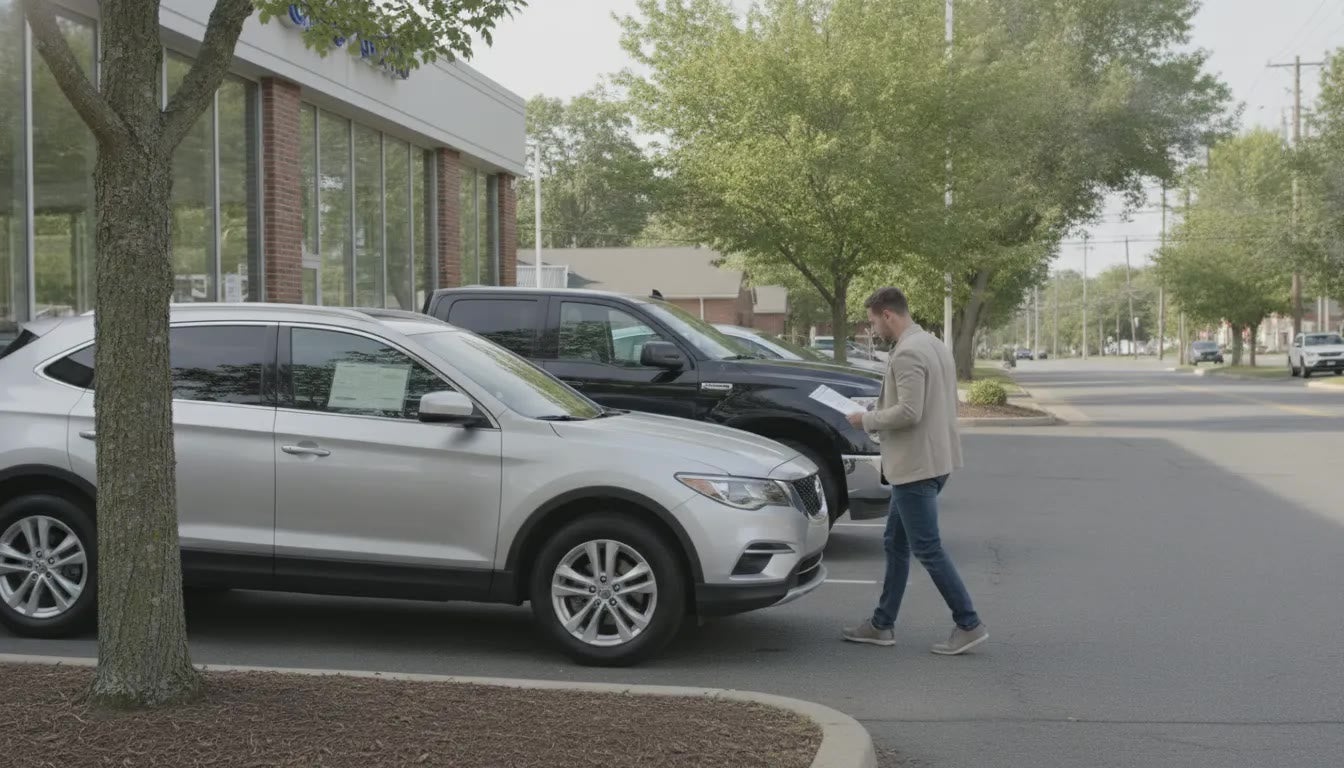
A shopper reviews paperwork beside a silver crossover and a dark SUV outside a Darien-area Chevrolet dealership.

Used Cars: A Darien-Area Buying Guide

Shopping for used cars around Darien is easier when you compare the vehicle, the paperwork, and the buying process together, rather than focusing on a single number. A useful starting point is to identify the type of vehicle you need. Check its history and condition, and confirm which protections and terms apply to that specific VIN. Book a test drive when a specific used car is worth the trip to Darien. When comparing used cars, look beyond make and mileage: review the vehicle history, arrange a daylight inspection and test drive. Ask a trusted mechanic to check the vehicle, and read every written warranty or repair promise before signing. At one Chevrolet store in Darien, you can also compare pre-owned vehicles, trade-in and finance pathways, and vehicle-specific program terms in one place. That approach matters because pre-owned vehicles can include Chevrolet models and other makes, while availability, pricing, and coverage can change by vehicle. Start by clarifying what "used" means for your search and which questions will help you evaluate each option fairly. What Used Cars Means in Darien A search for used cars near Darien will usually lead you to inventory lists. Those pages are useful when you are ready to compare vehicles, but they do not answer every question that comes before a purchase. A list can show what is being advertised today; it cannot replace a plan for deciding which type of vehicle fits your needs. What to inspect, or which questions to ask before you buy. In this guide, "used cars" means pre-owned vehicles of any make. That can include a Chevrolet car, truck, SUV, or EV, as well as a pre-owned vehicle from another manufacturer. The term describes a vehicle's ownership history and condition relative to a new vehicle. It does not mean that every vehicle is currently available, and it does not promise a specific model, mileage, equipment package, price, or condition. That distinction matters because a model page or a general used-vehicle page is not the same thing as a live stock list. Inventory changes as vehicles are sold, acquired, inspected, and prepared for sale. If you want to see what is listed at the moment, you can browse the used cars page for what is listed today. Treat that page as a starting point for current availability, then verify the details of any vehicle that interests you. Used cars are also not automatically CarBravo vehicles. CarBravo is a separate program, and its warranty, exchange, and roadside benefits apply only when a vehicle has an eligible VIN under the current program terms. A pre-owned vehicle that is not identified as eligible should not be assumed to include those benefits. Ask about the specific VIN and review the applicable terms rather than treating the program as a label for every used vehicle. H & L Chevrolet is one Chevrolet dealership at 1416 Post Road, Darien, CT 06820. It serves shoppers from Stamford, Norwalk, Greenwich, Westport, New Canaan, Wilton, and nearby communities. These towns are part of the dealership's market, not separate H & L stores. Whether you are comparing options locally or traveling in from another nearby town. The same decision process applies: identify the right vehicle, confirm its current details, and evaluate the purchase on its own facts. Match the Vehicle to the Drive Before you compare mileage, trim levels, or photos, think about the drives you make most often. A weekday trip along Post Road and into downtown Darien may call for a smaller car or crossover that is easy to maneuver and park. A growing household may need more seating, cargo room, or flexible access to the rear seats. Work needs can point toward a pickup or van with the right bed, cabin, payload, or towing setup. Body style is a useful starting point, not a final answer. Chevrolet examples that may appear in pre-owned inventory include the Trax and Equinox for shoppers considering smaller crossovers. The Traverse and Tahoe for larger passenger and cargo needs, and the Colorado or Silverado for truck work. Other makes can appear in pre-owned inventory as well. These examples describe vehicle types to compare, not vehicles confirmed to be in stock. You can browse pre-owned Chevrolet inventory and then verify the specific vehicle before making a trip. Start with your driving job, then confirm the details that matter for your vehicle search. Driving job Body style to start with Question to answer before you visit Weekday commute Small car or subcompact crossover Will it be comfortable on Post Road and easy to park downtown? Family and cargo Two-row or three-row SUV How many passengers and how much cargo must fit at the same time? Work and towing Pickup or work van What payload, towing equipment, bed length, or interior capacity is required? Tighter budget Used car, compact SUV, or older truck Which body style meets the need without adding equipment you will not use? Bring those answers when you review listings. For a truck, check the actual configuration and equipment rather than relying on the model name alone. For an SUV, bring a car seat, stroller, sports gear, or other item you routinely carry if possible. For a commuter vehicle, sit in the driver's seat and consider visibility, entry height, and parking dimensions. A short list based on your daily drive makes it easier to compare used cars on condition and fit. You are less likely to chase a listing that does not suit your routine. Check the History Before the Visit A little preparation can help you evaluate a used vehicle on its actual condition rather than on first impressions. Before you drive to Darien, gather the information you need and plan a visit that leaves room for questions. Write down the VIN. The vehicle identification number is the starting point for checking a particular car. Match the VIN you receive with the number on the vehicle and its paperwork. If the listing or seller cannot provide it, ask for it before making the trip. Review more than one history source. A National Motor Vehicle Title Information System (NMVTIS) report can provide title, odometer, and certain damage history. Use the official NMVTIS resource at vehiclehistory.gov; the Connecticut Attorney General also identifies nmvtis.gov as the source. A report may cost up to about $4. The NICB VIN check can add information that may include theft and flood history. Read the reports as helpful records, not as a substitute for seeing and driving the vehicle. Look at the vehicle in daylight. Walk around the exterior when you can see the paint, panel gaps, glass, lights, tires, and signs of prior repair clearly. Check the interior, controls, warning lights, and visible wear as well. Compare what you see with the description and history report, and note anything you want explained. Choose a test-drive route that resembles your routine. Include the kinds of roads you actually use, whether that means local streets, hills, highway driving, parking lots, or stop-and-go traffic. Pay attention to visibility, ride comfort, steering, braking, acceleration, noise, and how easily the vehicle fits your daily needs. You can schedule a test drive before visiting, but submitting a form does not by itself confirm an appointment. Arrange a pre-purchase inspection. Ask a mechanic you choose to inspect the vehicle before you buy. The Connecticut Attorney General explains that a buyer or chosen mechanic must be allowed to inspect a dealer purchase before the sale. Ask the mechanic to document concerns and likely near-term maintenance, then review any repair promises in writing before signing. These checks give you a clearer basis for comparing used cars and deciding whether a specific vehicle fits your needs and budget. Connecticut Rules That Change the Paperwork Connecticut warranty rules for dealer-sold used cars depend on price and age. The Connecticut Attorney General's used-car page sets the bands. In the middle band, a car under seven years old must be covered for repairs that keep it sound for at least 30 days or 1,500 miles, whichever comes first. In the higher band, also under seven years old, the minimum is 60 days or 3,000 miles, whichever comes first. These are state minimums. They are not a price list, and they are not a promise that every used vehicle has the same coverage. In the lowest band, a car over seven years old may be sold "as is." The disclaimer must be on the front page of the contract, and the buyer must agree to it. Above that lowest band, the implied warranty cannot be waived. A dealer also cannot swap in a "fifty-fifty" deal or a labor-only limit. If the car is in the shop for more than one day, the warranty grows by each of those days. The same state page says to get repair promises in writing. You, or a mechanic you choose, can inspect the car before you buy. Taxes and dealer paperwork Buy from a licensed dealer and Connecticut sales tax uses the purchase price. The rate is 6.35 percent. A higher rate applies once the vehicle is over the state's luxury threshold. A private sale uses the higher of the NADA average trade-in value or the bill of sale. The rates are the same. Private sales are not regulated by the Connecticut DMV the way dealer sales are. Disputes are usually civil matters. Check the Connecticut DMV sales-tax page for current details. Local property tax can still apply even if the vehicle is not registered. H & L Chevrolet's site lists a $799 dealer documentation fee in its disclaimer. That fee is a paperwork charge. It is not a special offer, and it is not a vehicle's current price. Tax, title, license, dealer fees, and optional equipment can change the total. The dealer sets the final price. Ask for the full breakdown before you sign. Look at the vehicle price, taxes, documentation fee, and any optional products. Used Cars and CarBravo Are Not the Same A used car at H & L Chevrolet can be a Chevrolet or another make. CarBravo is a separate label. It applies only when that specific VIN is eligible and you read the program terms that go with it. A pre-owned Equinox, a Silverado, or a vehicle from another brand can sit in the same search and still have different coverage. Ask whether the VIN is CarBravo before you treat any warranty, exchange window, or roadside help as part of the deal. Published CarBravo notes describe what an eligible vehicle may include, not what every car on a Darien lot includes. A CarBravo-labeled vehicle may come with a 12-month or 12,000-mile bumper-to-bumper limited warranty that starts after any remaining factory warranty. A BravoBudget vehicle may come with a 30-day or 1,000-mile powertrain limited warranty. An exchange option is often described as 10 days or 500 miles, and it has limits. Roadside assistance follows the warranty or service-contract period, with its own towing and service rules. Those figures come from CarBravo's published program notes. They are examples of the program, not a promise for a vehicle that is not in it. You can read how CarBravo is described at H & L Chevrolet, then filter the inventory for vehicles marked CarBravo. A filter shows how the site tags vehicles. It does not prove a model is on the lot today, and it does not replace the window sticker and the contract for the VIN you want. If the car you like is not CarBravo, use the Connecticut dealer rules and a written inspection instead of assuming certified coverage. How to Visit H and L Chevrolet H & L Chevrolet is one store at 1416 Post Road, Darien, CT 06820. Shoppers from Stamford, Norwalk, Greenwich, Westport, New Canaan, Wilton, and nearby towns come to that address. Those towns are the market, not extra lots. Shortlist two or three vehicles from the used inventory before you leave home. Bring the VIN, the history notes, and the driving job you already defined. If one of those vehicles still fits, request a quote and name the model. The site says commercial internet quotes get a reply within four business hours. That reply is not a guaranteed price, a confirmed appointment, or a loan approval. Bring a trade only if you have one to value. Start a trade-in form so the conversation has a vehicle to discuss. A form is not a final trade number. Financing is a separate step from choosing the car. Review financing options when you are ready to talk about a loan, and keep that paperwork apart from the vehicle inspection. Call 203-655-2551 or contact the Darien store if you want a person to confirm the next step. Ask which vehicle is available, whether a mechanic can inspect it, and what the contract will say about warranty coverage. Leave with the VIN, the out-the-door breakdown, and any repair promise in writing. Frequently Asked Questions Are used cars the same as the vehicles listed today? No. Used cars means pre-owned vehicles of any make. A listing page shows what is advertised at the moment you look. Stock changes, so confirm the VIN before you drive to Darien. What is the $3,000 rule for a used car in Connecticut? People use that phrase for a state warranty cutoff, not a dealership price. Connecticut sets dealer warranty minimums by price and age. The higher band, for a newer car, is at least 60 days or 3,000 miles. The middle band is at least 30 days or 1,500 miles. The lowest band, an older car, may be sold as is if the disclaimer is on the front page and you agree. Read the Attorney General page for the dollar cutoffs. These are state minimums, not a verdict on whether a price is fair. Is a low asking price a good deal on a used car? Price alone does not make a car a good buy. A lower price can also change which Connecticut warranty band applies. You still need the VIN history, a daylight look, a test drive, and a mechanic's inspection before you decide. Does every used car at H & L Chevrolet include CarBravo? No. CarBravo warranty, exchange, and roadside benefits apply only to an eligible VIN under the current program terms. Ask about the specific vehicle, then read the contract. Can I have my own mechanic inspect a dealer used car? Yes. Connecticut requires a dealer to let you, or a mechanic you choose, inspect a used car before you buy it. Put any repair promise in the contract. Request a Quote on a Specific Vehicle When a used car on the Darien lot matches the drive you actually make, ask about that vehicle instead of a general search. Request a quote and name the model you want to review. H & L Chevrolet follows up on commercial internet quotes within four business hours. That reply is not a guaranteed price, a locked appointment, or a loan approval. Call 203-655-2551 or contact the store at 1416 Post Road, Darien, CT 06820.

Used Car Loan Calculator: Estimate Monthly Payments

A monthly payment can look manageable at first, but the full cost of a loan depends on more than that number. The interest rate, loan term, taxes, fees, and amount you borrow all matter. A used car loan calculator lets you test different combinations and see how they may change your estimated payment and total repayment. That makes it easier to prepare questions and compare financing options with a clearer picture. The results are only estimates, since a lender determines your actual rate and terms. Whether you’re considering a sedan, SUV, or truck, start with realistic figures and use them to guide your used-car search. Key Takeaways Treat calculator results as estimates: Use them to plan, then confirm your APR, payment, and loan terms with a lender. Compare more than monthly payments: Test different down payments, rates, and loan terms, and check total interest and repayment. Plan for the full cost of ownership: Include taxes, fees, insurance, fuel, maintenance, and repairs when setting your vehicle budget. What Does a Used Car Loan Calculator Estimate? A used car loan calculator gives you a starting point for understanding what financing a vehicle might cost. Enter details such as the vehicle price, down payment, trade-in value, APR, and loan term to estimate your monthly payment. Some calculators also let you add taxes and fees, helping you build a more complete picture of the amount you may need to borrow. The estimate can show how changing one detail affects your loan. For example, compare a larger down payment with a smaller one, or see how a different APR changes your estimated payment. Bankrate’s auto loan calculator lets you adjust key loan details to compare monthly payments and borrowing costs. Look beyond the monthly payment when reviewing the results. Total interest and total repayment can help you understand what the loan may cost over time. A payment that fits your monthly budget may still add up to more interest over a longer term, so compare the full cost of each scenario. Treat the result as a planning estimate, not a loan approval or guaranteed offer. The calculator uses the information you enter and may not reflect the exact rate, terms, taxes, or fees available to you. Confirm the numbers with a lender or dealership before deciding. Monthly Payment, Interest, and Total Repayment A used car loan calculator typically estimates your monthly payment based on the amount borrowed, APR, and loan term. It may also show the total interest you could pay and the total amount you would repay over the life of the loan. Together, these figures help you assess both the monthly commitment and the overall cost of borrowing. Compare all three numbers when you test different loan scenarios. A longer term may lower your estimated monthly payment, but it can increase the interest paid over time. A shorter term may mean higher monthly payments, while reducing the total interest. Try adjusting the APR, amount financed, and term to see how each choice affects the results. This gives you a clearer basis for comparing options than focusing on the monthly payment alone. Gather the Price, Down Payment, Trade-In Value, APR, and Loan Term Start with the vehicle’s price, then enter the amount you plan to put down and the estimated value of any trade-in. These amounts help determine how much you may need to finance. You’ll also need an estimated APR and a loan term, usually entered in months. Some calculators ask for your state to help estimate taxes. Use figures that reflect the purchase and financing options you’re considering. If you don’t know your APR yet, test a range of rates instead of relying on one guess. Sunward’s auto loan calculator includes fields for vehicle price, down payment, trade-in value, APR, loan term, and state. Entering similar details can help you compare possible payments before discussing financing with a lender or dealership. Add Taxes, Registration, Dealer Fees, and Optional Extras The vehicle’s listed price may not be the full amount you pay. Sales tax, title and registration charges, and dealer documentation fees can add to the purchase total. Optional products, such as GAP insurance, may also affect the amount financed if you choose to include them in your loan. Check whether your calculator has fields for these costs. If it doesn’t, add known expenses to your estimate of the purchase price before calculating the amount you plan to borrow. Keep optional products separate from required charges, and ask for an itemized breakdown so you understand what each fee covers. Sunward’s calculator includes taxes, registration, title charges, dealer fees, and optional products among the costs that may factor into a loan estimate. See What the Estimate Includes and Excludes A calculator’s results depend on the information you enter. It can estimate payments and total loan costs, but it can’t confirm that you qualify for financing or that a lender will offer the APR and terms you entered. A lender may consider your credit history, the vehicle, and other details when reviewing an application. Before relying on a result, check which costs the calculator includes. Some tools account for taxes and fees, while others focus mainly on the loan amount, APR, and term. The DCU auto loan calculator explains that its results are estimates and don’t guarantee approval or available rates. Use the figure as a planning guide, then review written loan terms and the full purchase costs before making a decision. What Affects Used Car Loan Calculator Results? A used car loan calculator estimates your payment from several details, not just the vehicle’s price. Your down payment, trade-in value, annual percentage rate (APR), loan term, and taxes or fees included in the loan all affect the result. Adjusting any one of these inputs can change your monthly payment and the total you repay. For a useful estimate, enter figures that reflect the vehicle and financing you’re considering. Check which costs the calculator includes, and budget separately for expenses it leaves out. You can review available options in H & L Chevrolet’s used vehicle inventory as you compare prices. A calculator offers a starting point; a lender’s written offer confirms your actual terms. Amount Financed After Your Down Payment and Trade-In The amount financed is what you borrow after accounting for your down payment and trade-in. A larger down payment generally means a smaller loan, which may reduce both your monthly payment and the interest paid over the loan term. A trade-in can also lower the amount you need to finance, but subtract any outstanding loan balance from its value first. Enter the purchase price, down payment, and trade-in details separately when the calculator allows it. This makes it easier to see how each amount affects your estimate. The DCU auto loan calculator explains how these figures can influence the amount borrowed. If you’re unsure what your vehicle is worth or how much you still owe, get both figures before comparing scenarios. APR, Credit History, and Lender Terms APR reflects the yearly cost of borrowing, including interest and certain loan fees. Lenders may consider your credit history, the loan term, and whether the vehicle is new or used when setting an offer. As a result, a rate shown in an advertisement or calculator may differ from the one you qualify for. If you don’t have a lender offer yet, try a few realistic APRs to see how the payment could change. Once you receive a preapproval or written quote, use that APR for a more tailored estimate. The Bankrate auto loan calculator identifies credit score, loan term, and vehicle type as factors that can affect the rate. Compare fees and other conditions alongside APR, since the rate alone doesn’t show the full cost of a loan. Loan Term: Monthly Payment and Total Interest A loan term is the amount of time you have to repay the loan, usually listed in months. A longer term typically lowers the monthly payment by spreading repayment over more months. However, it may increase the total interest you pay. A shorter term usually means higher monthly payments but less interest over the life of the loan. Compare the total repayment amount as well as the monthly payment. Try different terms in the calculator to see how the trade-off affects your budget and overall cost. Bankrate’s auto loan calculator lets you adjust loan details to compare estimates. Choose a term that fits your finances and keeps the total cost manageable, rather than focusing only on the smallest payment. Taxes, Fees, Vehicle Age, and Mileage Sales tax, registration, and dealer fees can add to the cost of buying a used vehicle. If you include eligible expenses in the loan, they may raise the amount financed and your estimated payment. Check whether the calculator has separate fields for these costs. If it doesn’t, the result may not reflect the full amount you’ll need to pay. Vehicle age and mileage may affect your financing options, too. Lenders can set eligibility requirements or different terms based on a vehicle’s condition and age. Confirm which costs the calculator includes, then ask your lender about its requirements for the specific vehicle you’re considering. The Sunward auto loan calculator accounts for taxes and fees when they’re included in the loan, but estimates can vary depending on the inputs and lender. Insurance, Maintenance, and Other Ownership Costs A loan calculator estimates your loan payment, not the full cost of owning a vehicle. Plan separately for insurance, fuel, maintenance, and repairs. These expenses can vary with the vehicle, how much you drive, and the coverage you choose, so include realistic estimates when setting your budget. Add these costs to the estimated payment to understand what you may spend on the vehicle each month. The Sunward auto loan calculator highlights insurance, fuel, and maintenance as costs to consider alongside a payment. If you’re looking at a used Chevrolet, ask about its service history and upcoming maintenance needs. H & L Chevrolet’s service department can answer questions about maintenance and repairs. How Do You Use a Used Car Loan Calculator? A used car loan calculator can help you estimate a monthly payment and see how your loan choices affect the total cost. Start with the best information you have, then adjust the inputs to compare a few realistic options. The results are estimates, so use them to plan and prepare questions, not as a final loan offer. Enter Accurate Vehicle and Financing Details Enter the vehicle’s price, your planned down payment, and the value of any trade-in. Then add the loan term and an estimated annual percentage rate (APR). Depending on the tool, you may also be able to include taxes, fees, or your state. More accurate details will give you a more useful estimate. If you’re comparing vehicles, use each one’s actual asking price rather than working backward from a monthly payment you have in mind. For the factors to enter, Bankrate’s auto loan calculator is a helpful reference. As you review vehicles, ask the dealership to confirm the price and any charges that may affect the amount you plan to finance. Use an APR That Matches Your Credit and Loan Offers Use the APR from a lender’s quote or preapproval when you have one. If you’re still researching, try a few reasonable rates to understand how the payment could change, but treat each result as a planning estimate. Avoid choosing a rate just because it gives you the monthly payment you want. Lenders may consider your credit history, loan term, and whether the vehicle is new or used when setting an APR. A calculator can show how the rate affects your estimate, but it can’t tell you which rate you’ll qualify for. Bankrate outlines the main parts of an auto loan, including principal, APR, and term. When comparing offers, use the APR provided by each lender and check what fees or other costs are included. Change One Input at a Time to Compare Scenarios After entering your initial details, change one figure at a time. For example, keep the vehicle price, APR, and loan term the same while comparing different down payments. Then return to your original down payment and test different loan terms. This makes it easier to see how each choice affects your estimated payment and total cost. A longer term may lower the monthly payment, but it can increase the total interest you pay over the life of the loan. Look at both figures before deciding which option fits your budget. Sunward’s auto loan calculator illustrates how changing loan details can help you compare payment estimates. Write down the figures for each scenario so you can review them together rather than relying on memory. Review Your Payment, Total Interest, and Repayment Schedule The monthly payment is only one part of the result. Review the amount financed, total payments, and total interest to get a fuller picture of the loan’s cost. If the calculator includes an amortization schedule, use it to see how each payment is divided between principal and interest and how your balance changes over time. Some calculators also show the upfront payment and estimated total cost. These details can help you compare loan options with different terms, even when their monthly payments look similar. Calculator.net’s auto loan calculator provides examples of results that may include a repayment schedule. Check what each tool includes, since taxes, registration, dealer fees, and other ownership expenses may not appear in the estimate. Avoid Common Mistakes and Treat Results as Estimates Double-check the vehicle price, down payment, trade-in value, APR, and loan term before relying on a result. If the calculator doesn’t include taxes, registration, or dealer fees, the amount you need to finance may be higher. Also account separately for optional products, insurance, fuel, and maintenance when deciding what payment fits your budget. A calculator doesn’t approve your loan or guarantee the rate and terms shown. A lender must review your application and provide an offer. DCU explains that auto loan calculator results are estimates and don’t confirm loan eligibility or an available rate. Use your result to set expectations, then compare it with written offers and ask the lender to clarify any fees or terms before you decide. How Can You Compare Calculators and Financing Options? A calculator helps you estimate payments, but the result depends on the information you enter. Compare tools using the same figures, then review written loan offers to see the full cost and terms. Choose Calculators with Clear Inputs, Real-Time Results, and Fee Options Choose a calculator that lets you enter the vehicle price, down payment, trade-in value, APR, and loan term. It should update the estimate as you change those inputs and show more than a monthly payment, such as estimated interest and total repayment. The Sunward auto loan calculator includes several common inputs to help you see how they affect an estimate. Check whether the tool also accounts for sales tax, registration, dealer fees, and optional products. If it doesn’t, note which costs are excluded and add them to your budget separately. Using figures that reflect the vehicle and financing you’re considering will make the estimate more useful. Compare Calculator Assumptions and Payment Schedules Calculator results can differ because tools may use different assumptions. One might include taxes and fees, while another calculates payments using only the amount financed. Enter the same vehicle price, down payment, trade-in value, APR, and loan term in each calculator before comparing results. Look at what each tool shows beyond the estimated monthly payment. Some provide a total interest estimate or a payment schedule, which can help you understand the loan over time. The DCU auto loan calculator notes that its results are estimates, not a guarantee of approval or specific loan terms. Treat calculator results as planning figures, and use them to prepare questions for lenders. Compare APR, Loan Term, Fees, and Total Cost Compare the APR, loan term, fees, and total repayment amount together. A longer term may lower your monthly payment, but it can increase the interest you pay over the life of the loan. A shorter term often means higher monthly payments and less total interest. Consider which payment fits your budget without overlooking the overall cost. For a fair comparison, use the same vehicle price and amount financed for each offer. Account for taxes, registration, dealer fees, and optional products, too. Bankrate’s auto loan calculator lets you see how the loan amount, APR, and term affect estimated payments. Before choosing an offer, check that its written terms match the figures you used to compare it. Consider Preapproval and Check Your Credit Preapproval or prequalification can give you an idea of the rate and loan amount a lender may offer before you choose a vehicle. Ask whether checking your rate involves a soft or hard credit inquiry, and whether it could affect your credit score. If a lender provides an estimated APR, enter it into your calculator to get a more relevant payment estimate. Review your credit reports before applying, and dispute any errors you find. Your credit history is one factor lenders may consider when setting loan terms, but each lender evaluates applications differently. A calculator can’t confirm that you’ll qualify or predict your final rate. Use it to plan, then compare the actual loan terms you receive from lenders. Ask About Loan Types, Early-Payment Terms, and Optional Products Before accepting a loan offer, ask the lender or finance team to explain the loan type, payment schedule, and any fees. Find out whether you can make extra payments or pay off the loan early without a penalty. These terms can affect your flexibility and the total amount you pay, even if they don’t appear in a calculator’s estimate. Ask which optional products are included in the quoted payment and whether they’re required or available separately. For example, GAP coverage may change the amount financed and total loan cost. Request an itemized breakdown so you can compare offers using the same details. If you’re considering a used vehicle, browse H & L Chevrolet’s inventory and use the vehicle price you’re considering as a starting point for your calculations. What Should You Check Before Choosing a Used Car Loan? A calculator can help you estimate payments, but the right loan also depends on your budget, the vehicle’s full cost, and the written terms. Review these details before you decide. Set a Budget for Payments and Ongoing Ownership Costs Your monthly loan payment is only one part of owning a car. Add estimated insurance, fuel, maintenance, and repair costs to get a clearer picture of what you’ll spend each month. One commonly cited guideline suggests keeping total vehicle costs near 15% to 20% of gross monthly income, though your income, other expenses, and savings goals should guide your decision. Use an auto loan calculator to test different payments, then include ownership costs separately. If the full amount would strain your budget, consider a lower-priced vehicle or adjust your down payment. It’s also worth leaving room for unexpected expenses rather than planning around the highest payment you think you can manage. Balance Your Down Payment with Other Financial Needs A larger down payment can reduce the amount you borrow, which may lower your monthly payment and the total interest you pay. Still, putting every available dollar toward the car could leave you short on emergency savings or other important expenses. Compare several down payment amounts and look at both the monthly payment and total repayment for each option. Some experts suggest putting 10% down on a used car, but that’s a guideline, not a requirement. Use a loan calculator to compare scenarios, then choose an amount that fits your budget without using money you may need elsewhere. Your down payment should support a manageable loan, not create new financial pressure. Confirm the Vehicle Price, Taxes, and Fees Before estimating a loan, confirm the agreed vehicle price and ask for an itemized list of taxes and fees. Depending on the purchase, costs may include sales tax, title and registration charges, documentation fees, and other dealer charges. Optional products, such as a service plan, may also affect the amount financed. Find out which costs you’ll pay upfront and which will be added to the loan. Financing those expenses increases the balance and may increase the interest paid over time. A calculator that lets you enter taxes and fees can provide a more realistic estimate than one based on the vehicle price alone. Review the breakdown before deciding how much to borrow. Use Budget, Insurance, and Vehicle-History Tools Alongside the Calculator A payment estimate won’t tell you whether a specific car fits your budget or what condition it’s in. Request an insurance quote for the vehicle you’re considering, and include routine maintenance and potential repairs in your monthly estimate. Review the vehicle history report and consider having a qualified mechanic inspect the car before you buy. These steps can flag costs that a loan calculator doesn’t include. When comparing loan options, look at the total amount you’ll repay, not just the monthly payment. A calculator can help compare payments and terms, while insurance quotes, a vehicle history report, and an inspection provide other useful details. Together, these checks can help you assess the full cost of ownership. Review Written Loan Offers Before You Decide Calculator results are estimates, not guaranteed loan terms. Your final offer may depend on the lender’s review of your application and the vehicle. Before accepting financing, read the written offer and confirm the APR, loan term, monthly payment, amount financed, fees, and total repayment amount. Ask whether the rate is fixed and whether the offer includes optional products you didn’t request. If you’re comparing offers, check that each uses the same loan amount and term so you can compare them fairly. A car payment calculator can help you plan, but the lender’s written terms are what determine your loan. Ask questions about anything you don’t understand before signing. Explore Used Vehicles and Financing at H & L Chevrolet in Darien Once you have a comfortable budget, look for used vehicles that match your needs and price range. H & L Chevrolet serves Darien drivers with new and used vehicle shopping and financing assistance. You can learn about the dealership and contact its team with questions about available vehicles or financing. Bring your estimated budget, trade-in details, and any loan offers you’ve received so you can discuss the full cost with clear information in hand. If you’re comparing options, review H & L Chevrolet’s new Chevrolet inventory alongside its used vehicles. Comparing models, prices, and financing terms can help you decide which vehicle best fits your priorities. Frequently Asked Questions Does a used car loan calculator show the exact payment I’ll receive? No. It provides an estimate based on the details you enter. Your final payment depends on the lender’s approved rate and terms, plus any taxes, fees, or optional products included in the loan. What information should I have before using a calculator? Gather the vehicle price, planned down payment, trade-in value, estimated APR, and loan term. If the calculator allows it, add taxes and fees. If you don’t know your rate yet, compare a few possibilities. Should I choose the longest loan term to get a lower monthly payment? Not automatically. A longer term can lower the monthly payment but may increase the total interest paid. Compare both the payment and total repayment amount, then choose a term that fits your budget. Does a loan calculator include insurance and maintenance? Usually not. Plan for insurance, fuel, maintenance, and repairs separately so you can estimate the vehicle’s overall monthly cost. Can H & L Chevrolet help me compare used vehicles and financing? H & L Chevrolet in Darien offers used vehicle shopping and financing assistance. Review the used vehicle inventory and ask the dealership team about vehicle pricing, financing options, and costs to include in your estimate.